
The Ergonomics Gap Between Raw Containers and Cloud MicroVMs
Running autonomous coding agents naked on a local development machine is an operational hazard I refuse to tolerate. An agent powered by Claude Code, OpenAI Codex, or OpenCode routinely executes arbitrary shell commands, installs untrusted third-party dependencies, and tests local builds. Without hard boundaries, an errant shell command or prompt injection can wipe your home directory, corrupt host configurations, or leak ambient API tokens. Yet the standard remedies have historically suffered from a severe usability penalty.
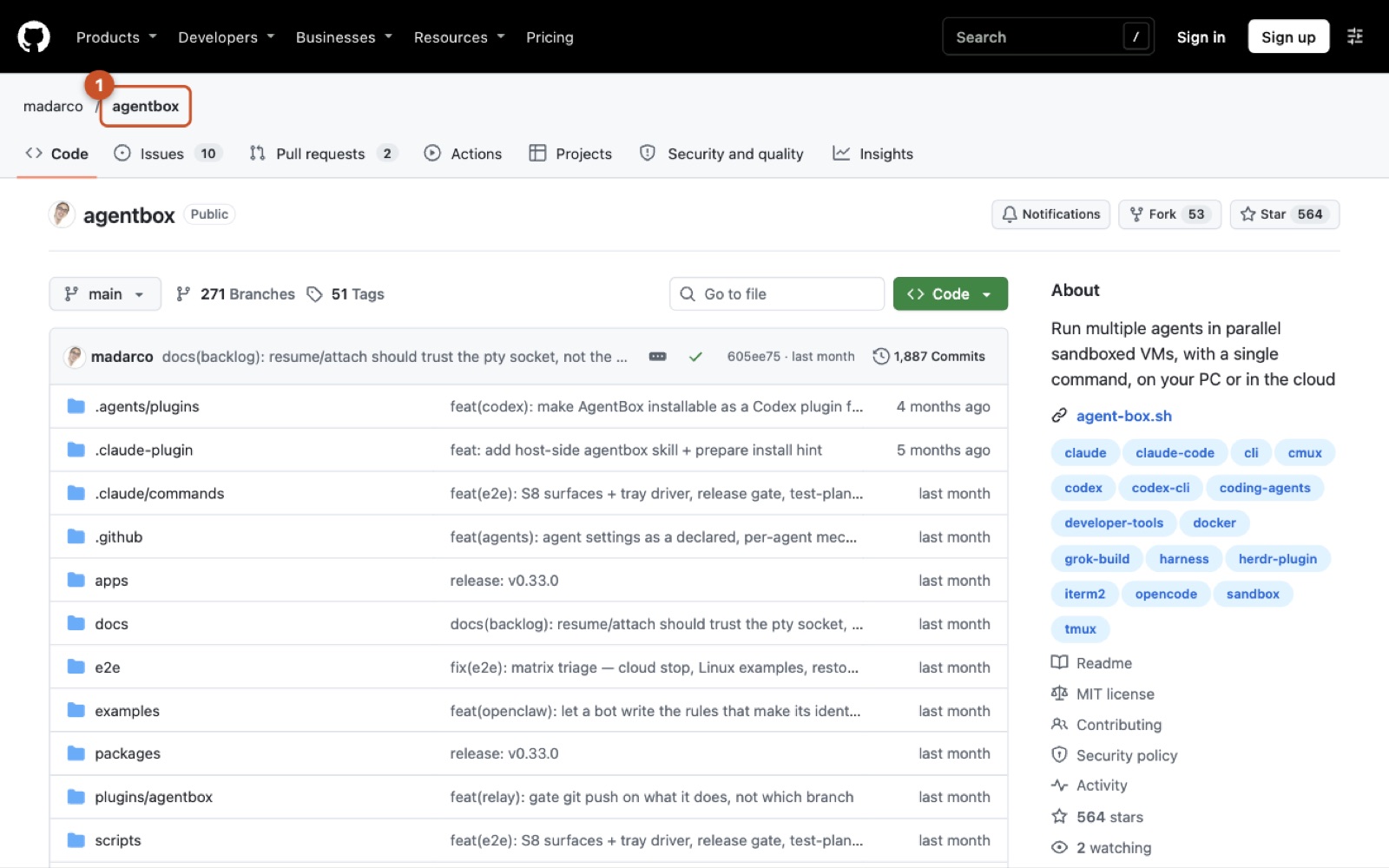
When evaluating sandboxing strategies for coding agents, I see engineering teams trapped between two undesirable poles:
- Cloud MicroVMs (e.g., E2B, Modal): Dedicated microVM engines provide pristine virtualization boundaries using hypervisors like Firecracker. However, they are built primarily for server-side, headless API pipelines. Using them for local interactive development means relinquishing local dotfiles, manual terminal multiplexing, and instant access to uncommitted changes in your editor without complex bespoke sync harnesses.
- Standard Devcontainers & Docker Bind-Mounts: Standard
devcontainer.jsonconfigurations provide reproducible toolchains for human engineers, but they boot slowly and typically rely on raw bind-mounts. Sharing a raw bind-mount with an autonomous agent completely defeats filesystem change isolation, while building a clean container per run introduces painful startup friction.
AgentBox (@madarco/agentbox) enters precisely at this operational intersection. Rather than acting as a raw hypervisor, it functions as a local-first orchestration CLI that packages local project context, agent plugins, and editor configurations into disposable, pre-warmed execution boxes. It abstracts the underlying engine—whether local Docker/OrbStack or cloud VPS providers like Hetzner—into a unified workflow tailored to CLI-first coding agents.
The core adoption threshold rests on the balance between developer safety and host resource overhead. By packaging a full environment into a ~1 GB base image (agentbox/box:dev), AgentBox provides immediate process isolation without forcing teams to engineer a custom cloud infrastructure layer. If you have explored our look at Wrapping Thirty Coding Agents Inside a Single Container: Inside HarnessRouter's Protocol and Process Boundaries, you know the challenges of co-locating agent runtimes; AgentBox solves this by granting each agent its own sandboxed container while retaining local developer ergonomics.
Tracing Execution: From Local Invocation to Detached Background Run
Executing an agent inside AgentBox begins from the terminal inside your target project directory. When invoking the launcher command, AgentBox does not simply execute a binary inside an existing container; it initializes an orchestrated environment boundary.
agentbox claude # launch a new VM with claude and your project inside
This launcher command packages local workspace files, verifies container dependencies, and boots Claude Code inside an isolated box.
Upon invocation, the CLI checks for the presence of the agentbox/box:dev base image (building it on the initial run or retrieving it from cache in under a second via state checkpoints). It then triggers context teleportation, assembling uncommitted repository files, agent configurations, and plugin manifests from paths like .claude-plugin and .claude/commands.
Instead of locking the developer into a synchronous foreground process that dies when a terminal tab closes, AgentBox wraps the session inside a terminal multiplexer such as tmux or cmux. When you decouple from the session using standard shortcuts (Ctrl+a d), the agent continues autonomous task execution in the background.
sequenceDiagram
    autonumber
    actor Dev as Developer
    participant HostCLI as AgentBox CLI (Host)
    participant Engine as Container Engine (Docker/OrbStack)
    participant Sandbox as Agent Sandbox (box:dev)
    participant Mux as Multiplexer (tmux/cmux)
    participant Remote as Git Remote

    Dev->>HostCLI: agentbox claude
    HostCLI->>HostCLI: Package uncommitted files & agent plugins
    HostCLI->>Engine: Provision container from agentbox/box:dev
    Engine-->>Sandbox: Mount isolated filesystem & inject configs
    Sandbox->>Mux: Launch agent process under persistent session
    HostCLI->>Dev: Attach terminal view
    Dev->>Mux: Detach session (Ctrl+a d)
    Note over Sandbox,Mux: Agent continues autonomous execution
    Sandbox->>HostCLI: Request git push upstream
    HostCLI->>Dev: Prompt authorization dialog
    Dev-->>HostCLI: Grant approval
    HostCLI->>Remote: Execute git push using host credentials
    Dev->>HostCLI: agentbox attach 1
    HostCLI->>Mux: Reconnect developer terminal
A key architectural strength here is credential boundary enforcement. Instead of exporting your host SSH keys or GitHub personal access tokens into the container environment where a compromised agent might read them, AgentBox keeps Git credentials gated on the host machine. If an agent attempts an upstream push, the operation routes back to the host process, which prompts the human developer for approval before executing the remote transmission.
Reconnecting to an existing sandbox requires only a reference to the sandbox identifier:
agentbox attach 1
This reattaches the developer's interactive terminal directly to the active multiplexer session running inside the designated box.
If you need out-of-band debugging while the agent is busy, you can spawn an independent shell without interrupting the primary agent loop:
agentbox shell 1
This command opens an auxiliary interactive shell directly inside box 1.
The Core Architecture: Packaging, Routing, and Multi-Modal Inspection
To support complex web development workflows, AgentBox combines agent-aware packaging, local DNS tunneling, and visual inspection layers into a coherent runtime stack.
stateDiagram-v2
    [*] --> ImageInitialization: agentbox create / agentbox claude
    ImageInitialization --> ActiveExecution: Context teleported & base image ready
    ActiveExecution --> MultiplexerDetached: Detach terminal (Ctrl+a d)
    MultiplexerDetached --> ActiveExecution: agentbox attach <id>
    MultiplexerDetached --> AutoPaused: Idle timeout triggered
    AutoPaused --> ActiveExecution: Wakeup & socket rehydration
    ActiveExecution --> CloudOffloaded: agentbox hetzner claude
    MultiplexerDetached --> Terminated: Box teardown
    CloudOffloaded --> Terminated: VM deprovisioned
    Terminated --> [*]
Interactive web applications demand ingress networking. Running dev servers across multiple parallel agent sandboxes typically produces localhost port collisions. AgentBox resolves this through its integration with portless. The internal dev server connects to a dynamic internal port, while the CLI provisions unique .local domain tunnels back to the host machine via agentbox url <id>.
For visual verification, AgentBox incorporates an in-box headless browser exposed over webVNC. Running agentbox screen <id> allows developers to observe the agent interacting with frontends in real time. If direct code editing is required, agentbox code <id> bridges desktop VS Code or Cursor directly into the container filesystem.
| Subsystem Component | Module Location | Operational Responsibility | Primary Failure Mode |
|---|---|---|---|
| CLI Core & Orchestration | packages/, apps/cli/ |
Command routing, provider dispatch, lifecycle tracking, and host credential mediation | Host daemon crashes causing orphaned containers and stale process state |
| Runtime Base Image | agentbox/box:dev |
Provides Ubuntu userland, Node runtime, browser tools, and VNC server | Heavy memory footprint (~1 GB base image) causing resource contention under high box concurrency |
Ingress Proxy (portless) |
Host runtime network bridge | Generates .local routing tunnels for exposed sandbox web servers |
Dev servers binding strictly to 127.0.0.1 inside the box instead of 0.0.0.0, resulting in refused connections |
| Agent Plugin Adapters | plugins/agentbox, .claude-plugin |
Injects skills, custom commands, and environment configs into the active agent | Upstream breaking updates to agent CLI argument schemas or prompt formats |
The decision to deploy a ~1 GB base image (agentbox/box:dev) represents a deliberate engineering tradeoff. Minimalist headless runtimes boot quickly, but they lack the pre-installed compilation toolchains, headless browsers, and remote editor daemons that modern AI agents require during exploratory coding runs. By paying the storage footprint upfront during image initialization, AgentBox avoids repetitive package installation latency across individual disposable runs. Similar to patterns discussed in How AutoSwarm Turns Isolated AI CLIs into a Coordinated Swarm Without a Shared Runtime, isolating the CLI runtime within a pre-baked environment is what makes multi-agent setups stable.
Testing the Isolation Thesis: Where Workspace Synchronization Meets Virtualization Latency
The central promise of AgentBox is seamless workspace isolation: giving an autonomous coding agent free rein over your uncommitted codebase without polluting your host working tree. A common assumption when examining this architecture is that sandboxes mount your project through a dedicated user-space FUSE overlay or native kernel overlayfs layer to guarantee transparent copy-on-write isolation. However, inspecting the repository codebase and runtime definitions reveals no custom FUSE driver bindings or kernel overlayfs mounting routines. Instead, the runtime relies on snapshot copying and volume replication into the container filesystem.
Understanding that distinction is critical when running intensive local development workflows. On macOS, container engines like Docker Desktop and OrbStack virtualize Linux environments across a hypervisor boundary using VirtioFS or gRPC-FUSE abstractions. Layering file synchronization on top of these hypervisor mounts introduces severe I/O penalties. Modern frontend and systems toolchains rely heavily on high-frequency filesystem watchers—such as Next.js Fast Refresh, Webpack HMR, or Rust cargo watch. When an agent triggers an aggressive npm install or re-indexes thousands of files inside the sandbox, file notification events across the virtualization layer stall. File descriptor polling chokes CPU cores on the host virtualization daemon, resulting in missed change events and dropped hot reloads.
To measure whether your setup maintains strict copy-on-write behavior or suffers volume contention, I run an outside verification harness before letting agents execute autonomous tasks. The protocol is straightforward:
First, record a baseline git status on the host, capturing the uncommitted working tree. Next, trigger an agent inside the sandbox to perform high-frequency I/O mutations: generate ten thousand small temporary files, run a full compilation, and modify an existing application route. Simultaneously, inspect the host filesystem using git status and git diff while monitoring system I/O latency. If the host immediately reflects file touches or stutters during watcher polling, your environment is binding directly rather than preserving snapshot isolation. When sync operations execute cleanly as independent container layers, the host remains clean and unstrained until you explicitly orchestrate an export.
When an autonomous agent modifies a dozen files in rapid succession, watch how the host reacts. If the changes are isolated within the container's private filesystem layer, your host working copy remains undisturbed. But if you observe file lock contention, phantom file additions in your host editor, or delayed file-system event delivery to your local development server, you are witnessing the classic friction between container file synchronization and host virtualization. Verifying this boundary early prevents debugging mysterious build cache corruptions or watching an agent's runaway script touch files you thought were quarantined.
Threat Modeling the Sandbox Boundary: DinD Privileges and Secret Bleed
Evaluating AgentBox as a secure execution layer requires dissecting its containment guarantees across execution, filesystem, and network tiers. The marketing pitch emphasizes that running an agent in a sandbox protects the host. While that is true compared to running an unconstrained CLI directly in your terminal, the container boundary is far more porous than a hardware-isolated microVM.
At the execution tier, containment on local setups rests on standard Docker or OrbStack container boundaries. The most severe exposure surfaces around Docker-in-Docker (DinD) support. To let an agent test containerized microservices or execute Docker builds inside its sandbox, DinD setups almost universally mount /var/run/docker.sock or boot the sandbox with --privileged. An autonomous agent running arbitrary shell commands with root privileges or direct Docker socket access inside the box can instantly escape container boundaries, inspect host volume mounts, manipulate sibling containers, and effectively compromise the host operating system.
At the filesystem and credential tier, AgentBox enforces a welcome boundary by keeping Git push operations gated on the host machine. However, ambient secrets remain vulnerable. When a box launches, the CLI automatically teleports local settings, plugin manifests, and session configs into the container environment (.claude-plugin, credentials, and tool definitions). Because autonomous coding agents routinely run commands like env, printenv, or inspect .bashrc and dotfiles, any API tokens forwarded into the sandbox become immediately visible to the model userland.
At the network tier, the boundary is entirely unconstrained. Sandboxes grant full outbound internet access so agents can install packages and drive headless browser sessions. Without an egress firewall or domain-whitelisting proxy, unconstrained outbound egress turns ambient API tokens into exfiltration targets. A compromised dependency executed during a routine build or an agent manipulated by prompt injection can harvest your Anthropic, OpenAI, or cloud infrastructure tokens and exfiltrate them via an outbound HTTP request long before a human reviews the code diff.
Treating AgentBox as a security boundary requires pairing it with defensive operational hygiene: never grant the container privileged access, strip sensitive tokens from your environment before launching, and restrict access to outbound network paths.
Deploying Hybrid Sandboxes Across Local Runtimes and Cloud Providers
Deciding where AgentBox fits in your engineering stack comes down to distinguishing between interactive human-in-the-loop development and headless, programmatic pipeline execution. Tools like E2B and Modal dominate server-side infrastructure because their microVM engines enforce hardware virtualization via Firecracker. But for a developer working locally, microVM platforms lack terminal multiplexer integration, IDE attach hooks, and frictionless access to uncommitted editor files. Conversely, relying purely on raw Git worktrees leaves your workstation exposed to arbitrary shell execution. AgentBox fills this operational sweet spot with a hybrid topology that pairs local interactive iteration with disposable cloud offloading.
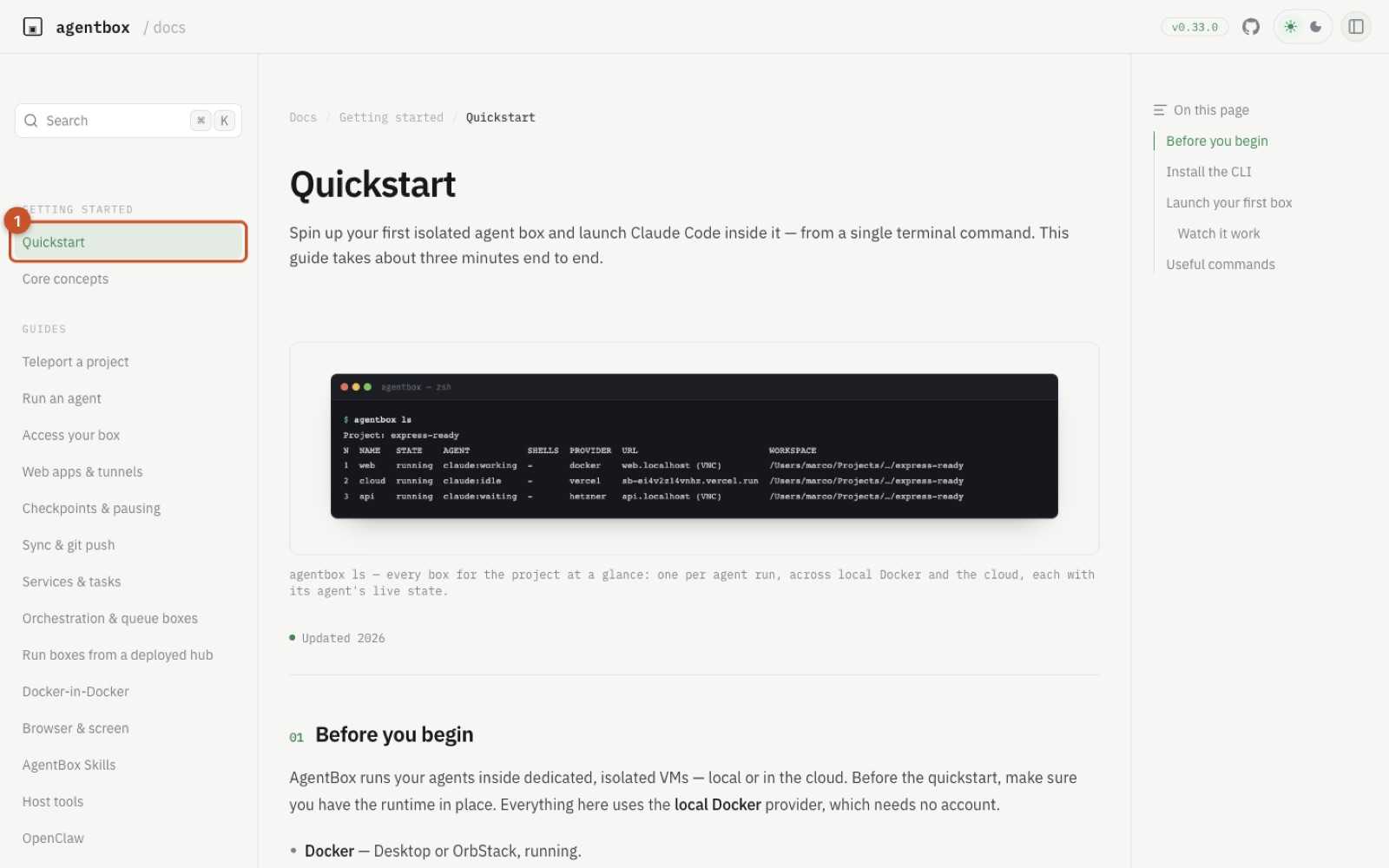
To apply this pattern effectively, consider building an architecture for Ephemeral Multi-Model Bug Bounties on Clean Git Worktrees. In this setup, you establish a parallel bug triage pipeline that launches Claude Code and Codex into separate AgentBox sandboxes branched from clean worktrees to evaluate conflicting fix strategies. By pairing AgentBox CLI orchestration with Herdr or cmux multiplexing, each agent operates in an isolated worktree while routing dev test servers to distinct .local portless domains for live validation. The operational challenge to watch for here is local RAM saturation and Docker memory ballooning: running three or four concurrent boxes—each spinning up a 1 GB base image, remote editor hooks, and an in-box headless browser—will quickly starve a developer workstation of physical memory.
When local compute hits that ceiling, the natural operational move is to construct Hybrid Cloud Escapes for Resource-Intensive Agent Compilations. This workflow builds an automated offloading pattern that diverts large agent refactoring jobs from local OrbStack containers to remote Hetzner VPS instances:
agentbox hetzner claude
This launcher command shifts execution from the local container runtime to a remote Hetzner cloud instance while keeping your terminal attached.
Delegating heavy builds, massive dependency trees, and package installations to high-core cloud servers keeps your local machine responsive while maintaining multiplexed terminal control over SSH tunneling. The primary failure mode to watch for in this hybrid topology is architecture drift between local ARM64 macOS machines and remote x86_64 cloud Linux boxes, which frequently breaks precompiled binaries and native dependencies during automated verification runs.
Resources
Updated 2026-10-26 by Mehran Mozaffari.
Related posts
28 October 2026
Wrapping Thirty Coding Agents Inside a Single Container: Inside HarnessRouter's Protocol and Process Boundaries
27 October 2026
In-Browser WebGPU Agents or Native Daemons for Private Local Coding
24 October 2026
Recurrent State Kernels Move the Local Inference Bottleneck from Memory to Dispatch
24 October 2026
How Openspaces Resumes Headless Remote Coding Agents Using Only Standard UNIX Primitives
14 October 2026
The Agentic Scientist Deconstructed: What Sakana Got Right, Where CLI Orchestration Breaks, and How to Run It in Production
4 October 2026
Turning Production Coding Agents into RL Environments: The Mechanics, Failure Modes, and Economics of Capture Proxies