Chapter
10
The MCP Server
How Open Design connects to coding-agent CLIs via the Model Context Protocol
Open Design speaks MCP, so any of the supported coding-agent CLIs can drive it — which is exactly why it is not locked to one vendor's agent. This chapter explains what MCP is, how Open Design exposes its server, how to connect any supported CLI with a single command, what the server exposes to those agents, and how the BYOK proxy routes inference without leaking your keys or your network. Core MCP mechanics have been stable since v0.9.0; CLI counts, adapter priorities, and vendor details in this chapter reflect OpenDesign v0.21.1 (released August 31, 2026) and the agent-CLI ecosystem as of September 2026 — this market changes monthly, so verify current state at the primary sources before committing a team to any agent.
10.1 What MCP Is
MCP (Model Context Protocol) is an open standard that lets an AI agent connect to external tools and data sources. Think of it as a USB-C spec for AI: the same socket, regardless of which device you plug in. Open Design is the device; your coding-agent CLI is the charger.
The protocol uses JSON-RPC 2.0 for message transport. A host (the application, Open Design in this case) runs a server; a client (the agent CLI) connects and issues requests; the server responds with structured data. The three layers are fixed by the spec:
Sends requests, receives resources, tools, and prompts
Exposes resources, tools, prompts over JSON-RPC 2.0
Routes inference to anthropic / openai / azure / google / ollama / senseaudio
MCP was created by Anthropic and, per the governance announcement in December 2025, donated to the Agentic AI Foundation (under the Linux Foundation). The spec is published at modelcontextprotocol.io under open governance; the governance announcement describes the intent that any vendor may implement it. (This book describes that governance structure as documented — it is not legal advice on IP ownership or licensing freedom; consult qualified counsel for those determinations.) At this book's June 2026 edition, the stable spec version was 2025-11-25, with a 2026-07-28 revision in release candidate; check the spec page for current status.
The MCP spec version cited in this chapter (2025-11-25) was the stable release at the June 2026 edition, with a 2026-07-28 revision in release candidate. Check modelcontextprotocol.io before relying on any version-specific behavior.
The standard defines three primitives that any MCP server can expose to connected clients. Open Design implements all three. Here is what they mean in context:
| Primitive | What it exposes | Example in Open Design |
|---|---|---|
| Resources | Structured data the agent can read (files, database records, context) | Active project contents, artifact history, brand-system DESIGN.md files |
| Tools | Functions the agent can call (side-effecting actions) | write_file, delete_file, delete_project, generation loop trigger |
| Prompts | Reusable prompt templates the agent can invoke by name | Skill-defined prompt templates for artifact types (web prototype, deck, motion) |
The governance story matters to designers as much as it matters to engineers. MCP is a standard, not a product. When you connect Open Design via MCP, you are not depending on a proprietary plug-in that any one vendor can revoke. One server, many brains — and that relationship is defined by an open spec, not a proprietary API key.
10.2 Open Design's MCP Server
Open Design's daemon runs an MCP server alongside its Express HTTP layer. The MCP server listens for agent connections, authenticates them, and routes their requests to the daemon's generation, file, and project subsystems. You do not start it separately; it starts with the daemon.
As of v0.9.0 (released June 2, 2026), the MCP server gained three new tools: write_file, delete_file, and delete_project, and resolved a long-standing limitation around project directory exposure. The release notes call this "MCP clients can now do real workspace work" — enabling agents to edit and manage files programmatically alongside reading.
Skill injection via MCP: When an agent connects, Open Design injects the active skill into the agent's context using one of three strategies: native skill loading (preferred, for Claude Code and OpenCode which scan a skills directory), prompt injection (universal fallback that concatenates SKILL.md and references into the system prompt), or file-placed workflow (for Cursor and similar agents that read instruction files from the working directory). The agent receives the skill context before it generates anything.
One server, many brains: a single daemon instance runs the MCP server; each connected agent is a separate client session against the same server. You can have Claude Code, Cursor, and OpenCode all connected simultaneously, each working on a different project or variation in the same Open Design instance.
10.3 Connecting an Agent
The od mcp install <agent> command writes the MCP configuration to the CLI's expected config directory, registers the Open Design daemon as a connected server, and optionally injects the active skill context. As of v0.21.1, every supported agent has its own adapter with its own config format — the install command abstracts that difference.
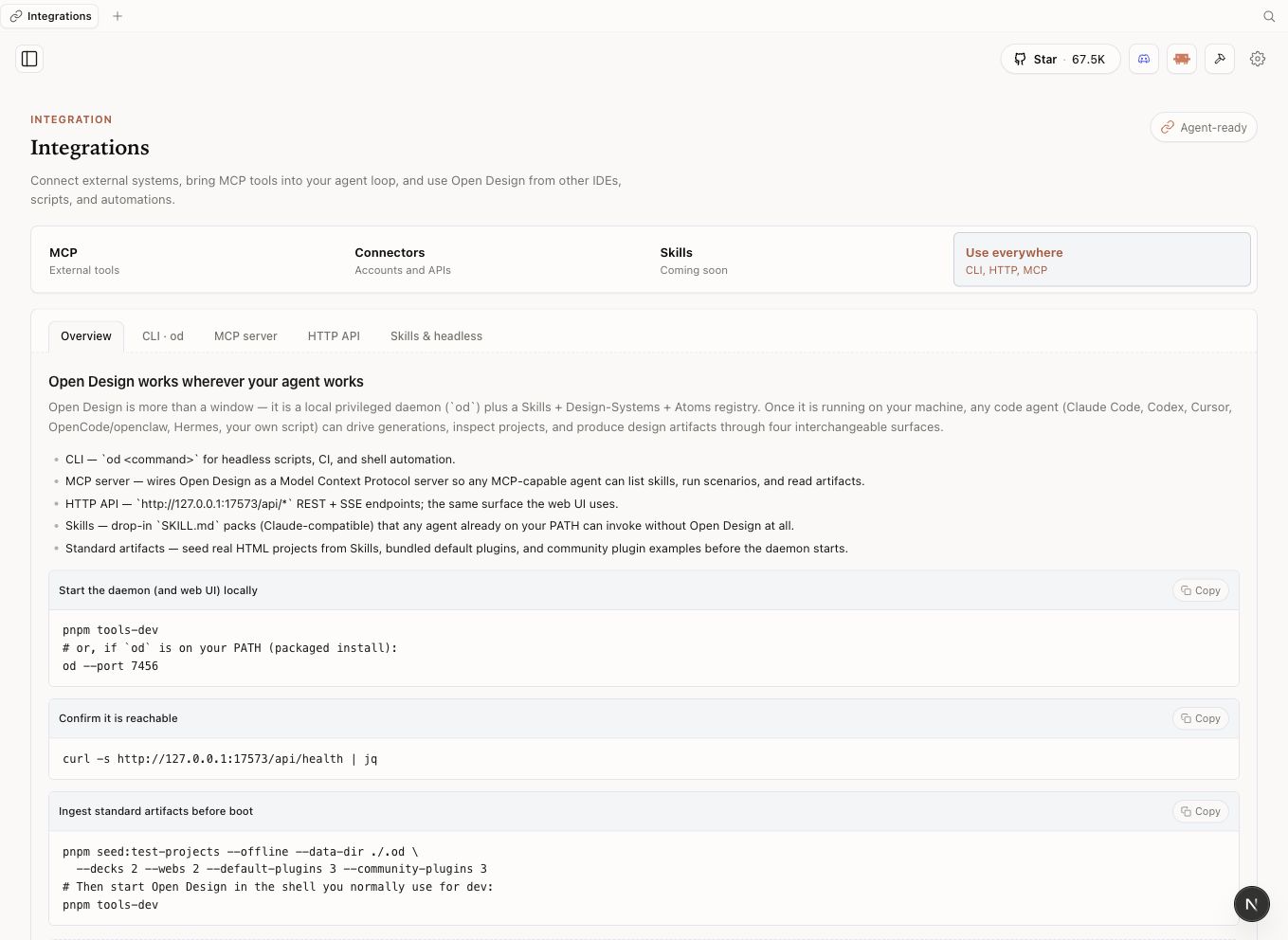
Confirm the Open Design daemon is running. The install command will fail silently if it cannot reach the daemon socket.
$ od status
daemon: running (v0.9.0)
mcp-server: listening
projects: 3Install the MCP connection for your chosen agent. Substitute the agent ID from the supported CLIs table in section 10.6.
$ od mcp install claude-codeThe command writes to the Claude Code config directory, registers the daemon as an MCP server, and confirms the connection.
Use --print to preview the config without writing it. Useful when you want to verify the configuration before applying it, or when connecting to a remote daemon.
$ od mcp install claude-code --printInstall for multiple agents if you are exercising the agent-agnosticism. Each agent gets its own adapter configuration.
$ od mcp install cursor
$ od mcp install opencode
$ od mcp install codexTo remove a connection, use --uninstall.
$ od mcp install cursor --uninstall
Per-CLI config formats differ. Claude Code uses its native .claude/ config directory with a first-class MCP section. Cursor Agent writes to .cursorrules. Codex uses its own config directory and has known version-specific variance. The od mcp install command handles all of these; you do not need to know which format each agent expects.
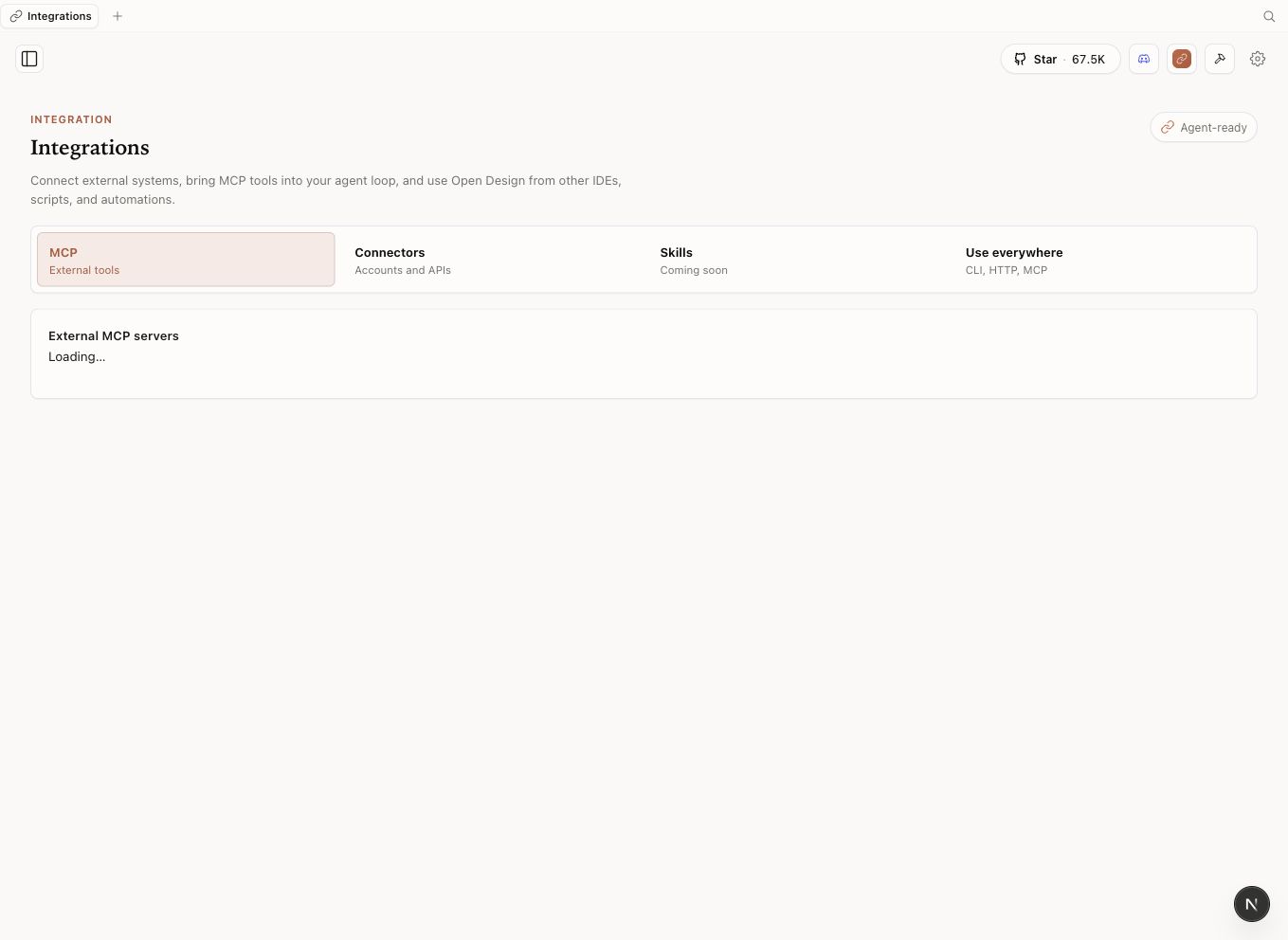
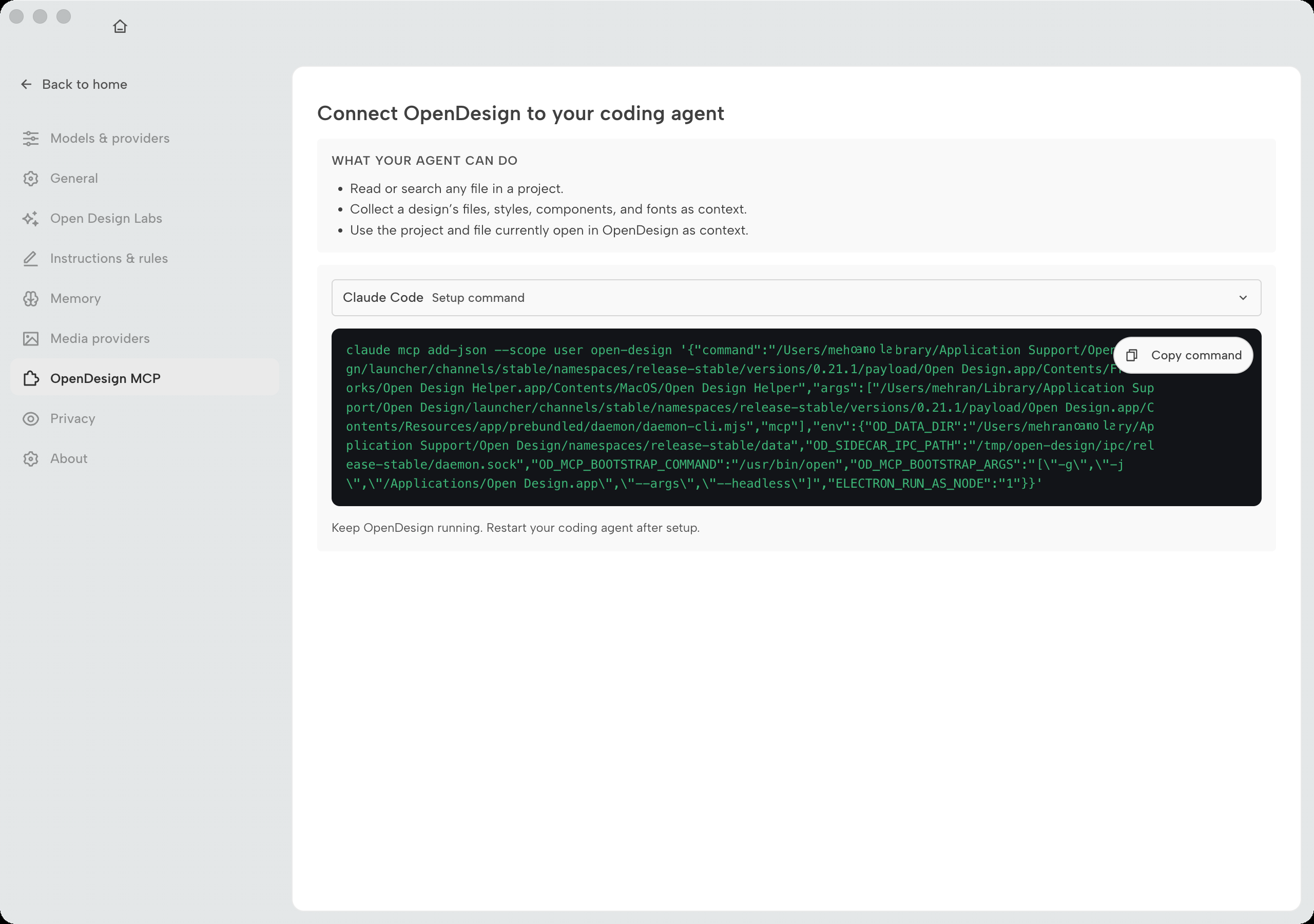
The Settings → OpenDesign MCP page (v0.21.1)
Since the 0.19-era updates, first-party setup has moved into Workspace settings under an OpenDesign MCP section --- "Connect OpenDesign to your coding agent." The page states what an agent can actually do once connected: read or search any file in a project; collect a design's files, styles, components, and fonts as context; and use the project and file currently open in OpenDesign as context. That is the honest scope of the integration --- project work, not whole-machine access.
Each agent gets a copy-paste setup command rather than a hand-edited config. For Claude Code
it is an add-json call that registers the server with the daemon's paths (the
ellipses are the install-specific values the page fills in for you):
$ claude mcp add-json --scope user open-design '{
  "command": "…",
  "args": ["…"],
  "env": {
    "OD_DATA_DIR": "…",
    "OD_SIDECAR_IPC_PATH": "/tmp/open-design/ipc/release-stable/daemon.sock",
    "OD_MCP_BOOTSTRAP_COMMAND": "/usr/bin/open"
  }
}'
The page closes with the two instructions people skip: keep OpenDesign running
--- the MCP server lives in the daemon, so quitting the app disconnects every agent --- and
restart your coding agent after setup so it picks up the new server. For
Claude Desktop there is no JSON at all: od mcp install claude-desktop (0.19.1)
configures the connection on macOS and Windows.
10.4 Resources, Tools, and Prompts
Once connected, the agent can see everything the MCP server exposes. This is the full surface area of Open Design as seen by a connected agent — not a UI, but a structured protocol surface the agent can query and call.
| Category | Name | What it does | Added |
|---|---|---|---|
| Tool | write_file |
Write a file to the active project workspace | v0.9.0 |
| Tool | delete_file |
Delete a file from the active project workspace | v0.9.0 |
| Tool | delete_project |
Delete a project and its associated workspace | v0.9.0 |
| Tool | Generation loop trigger | Start an artifact generation run with a skill, brand, and prompt | Pre-v0.9.0 |
| Resource | Active project contents | Structured read access to the current project's files and metadata | Pre-v0.9.0 |
| Resource | Brand system DESIGN.md | Read access to the selected brand contract for context injection | Pre-v0.9.0 |
| Prompt | Skill-defined templates | Named prompt templates per skill (web prototype, deck, motion) | Pre-v0.9.0 |
The v0.9.0 addition of write_file and delete_file is more significant than it sounds. Before that release, MCP clients could drive generation but could not do independent file work inside the project workspace. Now a connected agent can fetch an artifact, rewrite a specific file within it, and clean up intermediate files — all without leaving the agent session or switching to the Open Design UI.
10.5 The BYOK Proxy
Open Design does not bundle an inference provider. You bring your own key (BYOK), configure a provider, and the daemon proxy routes calls to the model on your behalf. The proxy endpoint pattern is:
POST /api/proxy/{provider}/stream

# Where {provider} is one of:
# anthropic | openai | azure | google | ollama | senseaudio
Each route accepts a baseUrl, apiKey, and model in the request body. The proxy supports Anthropic, OpenAI, Azure OpenAI, Google Gemini, Ollama, LM Studio, vLLM, and any OpenAI-compatible endpoint. Per the Open Design v0.9.0 security documentation, your key is stored in config.toml with mode 0600, designed to be accessible only by the daemon process owner.
| Provider route | Inference location | Key storage | Notes |
|---|---|---|---|
anthropic |
Anthropic cloud | config.toml (0600) |
Supports all Claude models; recommended for Claude Code pairing |
openai |
OpenAI cloud | config.toml (0600) |
Also accepts any OpenAI-compatible endpoint via baseUrl |
azure |
Azure OpenAI cloud | config.toml (0600) |
Useful for enterprise tenants with Azure OpenAI deployments |
google |
Google cloud | config.toml (0600) |
Gemini models; note the Gemini CLI agent adapter is P2 (see §10.6) — this Google provider route is unaffected regardless of the CLI's status |
ollama |
Your machine | No key needed | The only provider where inference is fully local; required for full local-first privacy |
senseaudio |
SenseAudio cloud | config.toml (0600) |
Audio-specific inference; used for TTS and audio generation artifacts |
SSRF and key exposure risk: Per the Open Design v0.9.0 README and architecture documentation, the BYOK proxy is designed to include per-target SSRF protection, configured to block requests to internal IPs, link-local addresses, and CGNAT ranges at the daemon edge. This is a documented design intent, not a security guarantee; review the source and your deployment configuration before relying on this protection. The underlying risk is real: an attacker who can send requests to the proxy could attempt to make the daemon call internal network services or exfiltrate your API keys. Keep the daemon bound to localhost. Do not expose the proxy on a public or LAN interface without additional authentication. Your baseUrl values are validated against these blocks at request time per the documented behavior.
The local-first vs local-inference distinction reappears here. Open Design is local-first: your files, your project workspace, and the daemon orchestration all run on your machine. But inference is local only when you choose the ollama provider. Every other provider sends the generation request to a cloud model. If inference privacy is your goal, configure Ollama and a local model before connecting an agent.
10.6 Supported CLIs
As of v0.21.1 (August 31, 2026), the product supports 26+ agent CLIs, and the list still grows each minor release --- my own install's Settings → Models & providers page shows 10 CLIs installed and 16 more available without leaving the picker. The v0.9.0 release added Aider, Trae CLI, and DeepSeek Reasonix; the 0.17–0.19 line brought Hermes, Vela/AMR, Grok Build, Mistral Vibe, Kilo, Kiro, Pi, Qoder, Mimo, AtomCode, CodeBuddy, Amp, and Devin into the first-class roster; and DeepSeek Harness, DeepSeek AI's official harness, connects through od agent setup deepseek-harness (0.19.1). New entries appear in each minor release; this table reflects the snapshot at publication.
| CLI | Vendor | License / type | od mcp install ID |
Adapter verdict |
|---|---|---|---|---|
| Claude Code | Anthropic | Proprietary | claude |
First-party |
| OpenAI Codex CLI | OpenAI | Apache-2.0 | codex |
First-party |
| OpenCode | anomalyco | MIT | opencode |
Community |
| Hermes | Community (open-source) | Open source | hermes |
Community |
| Google Antigravity | Proprietary | antigravity |
First-party | |
| Vela (AMR) | nexu-io | Proprietary (hosted) | amr |
First-party |
| Grok Build | xAI | Proprietary | grok-build |
First-party |
| Kimi CLI | Moonshot AI | Proprietary | kimi |
First-party |
| Cursor Agent | Anysphere | Proprietary | cursor-agent |
First-party |
| Qwen | Alibaba | Apache-2.0 | qwen |
First-party |
| Qoder | Alibaba | Proprietary | qoder |
First-party |
| GitHub Copilot CLI | GitHub / Microsoft | Proprietary | copilot |
First-party |
| Pi | Community | Open source | pi |
Community |
| Kiro | AWS | Proprietary | kiro |
First-party |
| Kilo | Kilo Code | Open source | kilo |
Community |
| Mistral Vibe | Mistral AI | Proprietary | vibe |
First-party |
| DeepSeek TUI (Reasonix) | codewhale / DeepSeek | Proprietary | deepseek |
Community |
| DeepSeek Harness | DeepSeek AI | MIT (developer preview) | deepseek-harness |
First-party — main branch only, post-0.19.1 |
| Aider | Paul Gauthier | Apache-2.0 | aider |
Community |
| Amp | Sourcegraph | Proprietary | amp |
First-party |
| CodeBuddy | Tencent | Proprietary | codebuddy |
First-party |
| Mimo | Xiaomi | Proprietary | mimo |
First-party |
| AtomCode | Community | Open source | atomcode |
Community |
| Devin | Cognition | Proprietary | devin |
First-party |
| Trae CLI | ByteDance | Proprietary | trae-cli |
First-party |
| OpenClaw | OpenClaw community | Open source (self-hosted) | openclaw |
Community — MCP install |
All listed adapters support MCP; what differs is the config format each CLI expects and how Open Design's adapter bridges the gap. The install pattern is the same one-command operation for every row — including OpenClaw, which joins through the MCP path (od mcp install openclaw) rather than a daemon runtime definition.
One omission from the June 2026 edition of this table: Gemini CLI. Google announced its sunset in June 2026, and the adapter is gone from the current roster. The Google-family route is now Antigravity. If you are maintaining an older project that still references the gemini adapter, plan the migration rather than waiting for the config to fail.
CLI market churn: The agent-CLI market changes monthly — this table went from 21 rows to 26 in a single quarter (as of September 2026). Gemini CLI's sunset removed it from the roster between editions; DeepSeek Harness connects via od agent setup deepseek-harness (0.19.1) rather than the desktop picker's installed-CLI list. Agent discovery also self-repairs past stale PATH shims as of 0.21.0, which quietly fixes the most common "my agent stopped appearing" support ticket. OpenCode (anomalyco) is MIT-licensed and open source; for details on its history and current feature set, see the project repository at github.com/anomalyco/opencode. Re-verify any CLI's version, pricing, and MCP support status against its primary source before committing a team to it.
Chapter 11 compares the headline agents in depth — use the comparison there to choose which CLIs to actually invest in. This chapter's job is to confirm that the connection is the same for all of them and that swapping agents is a one-command operation.
Agent-agnosticism via MCP is Open Design's strongest strategic feature, and most teams adopt it without actually using it. I run two agents against the same Open Design instance: one proprietary for the work that demands capability, one open-source (OpenCode, MIT) as a vendor-independence hedge. The only way to know that the escape hatch works is to use it occasionally. If you have only ever connected Claude Code and a vendor sunsets, changes pricing, or revokes a capability, you will spend a difficult afternoon re-establishing a workflow that a second od mcp install opencode would have prevented. The caution: MCP support is broad but per-CLI config formats still differ; expect some setup friction per agent, and test the connection on a throwaway project before relying on it in production work.
The v0.9.0 addition of write_file and delete_file to the MCP tool surface is the most underreported capability in this release. Before it, MCP was read-and-generate: the agent could read context and trigger generation, but file management stayed in the UI. Now a connected agent can manage workspace files programmatically. The practical payoff is in multi-step workflows where an agent needs to assemble, iterate, and clean up files as part of a longer generation loop — without the human touching the UI between steps. I'd call this the foundation of genuinely autonomous design workflows. The caution: file deletion via an agent is permanent; the same discipline you apply to any agentic file-write applies here. Review what the agent is doing before you trust it to manage workspace state.