01 The Design-Code Gap
Why designers need AI coding tools, what Claude Code is, and where it fits in your workflow
Claude Code is a collaborative AI agent that runs across your tools and can turn design intent into working code, but it works best when you understand its strengths and limits.
1.1 Why Designers Should Care About AI Coding Tools
Why Designers Should Care About AI Coding Tools
The gap between what you design and what ships has always existed. AI coding tools are the first thing that lets you cross it on your own terms.
Here is a scenario you might recognize. You have a clear vision for a component, a page, an interaction. You have built it in Figma down to the pixel. You hand it off to engineering. Three days later, what ships looks close but not right. The spacing is off. The hover state is different from what you specified. The responsive behavior collapses in ways you did not anticipate.
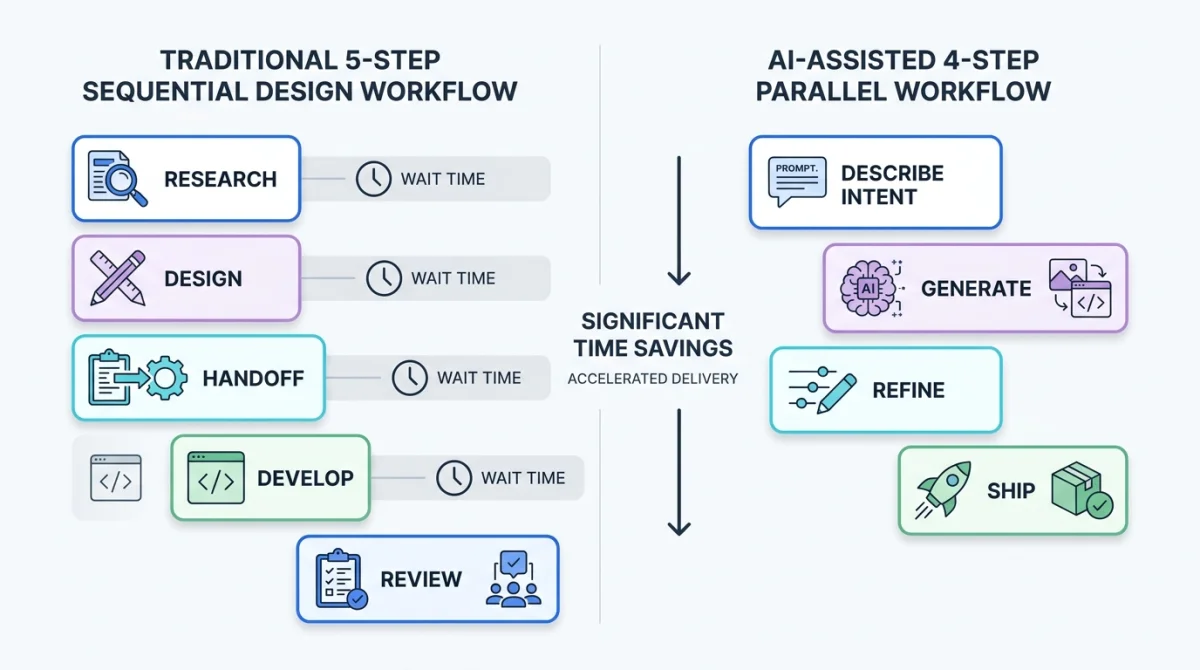
This is the design-code gap. It is not anyone's fault. It is a structural problem. Designers think in visual systems. Engineers think in code systems. The handoff between them is lossy, like compressing a high-resolution image into a low-resolution format. Information gets lost.
AI coding tools change this equation. They do not eliminate the gap, but they give you a way to cross it yourself, without waiting for someone else to translate your intent into code. You describe what you want in natural language, paste a screenshot, or point to a reference file. The tool generates working code. You iterate on the output. You stay in control of the design decisions while the tool handles the code execution.
This is not about replacing engineers. This is about expanding what you can do as a designer. The best results come when designers and engineers collaborate, with AI tools accelerating the parts that slow both sides down.
The scope of design work has been expanding for years. Product designers now maintain design systems in code. UX researchers build interactive prototypes instead of static wireframes. Brand designers create email templates and landing pages that live in code repositories. The line between "designer" and "front-end developer" has been blurring, and AI coding tools are accelerants for that shift.
Design-focused companies now treat AI-assisted coding as part of the product workflow, not a developer-only curiosity. The safer point is not that any one company endorses your workflow. The point is that design, code, and agent tooling are converging quickly enough that designers need a working mental model.
In my experience, the designers who benefit most from AI coding tools are not the ones trying to become developers. They are the ones who want to move faster, test ideas sooner, and reduce the friction between thinking and building. Claude Code is not the only tool in this space, but it is the one I have found most effective for design work, and the one this book focuses on.
1.2 What Claude Code Actually Is
What Claude Code Actually Is
Claude Code is an agentic coding tool. Not a chatbot. Not a design tool. A collaborator that reads your files, runs commands, and builds things.
Anthropic defines Claude Code as "an agentic coding tool that reads your codebase, edits files, runs commands, and integrates with your development tools." That is accurate but dense. Let me translate.
Think of Claude Code like a junior developer who sits in your tools and follows your instructions. You tell this developer what you want built. They read the relevant files, figure out how things work, write the code, run tests to verify it, and show you the result. You review, give feedback, and they iterate. That loop, where the tool reads your project, plans an approach, executes changes, and verifies the result, is the agentic loop. It is what separates Claude Code from a chatbot that only answers questions.
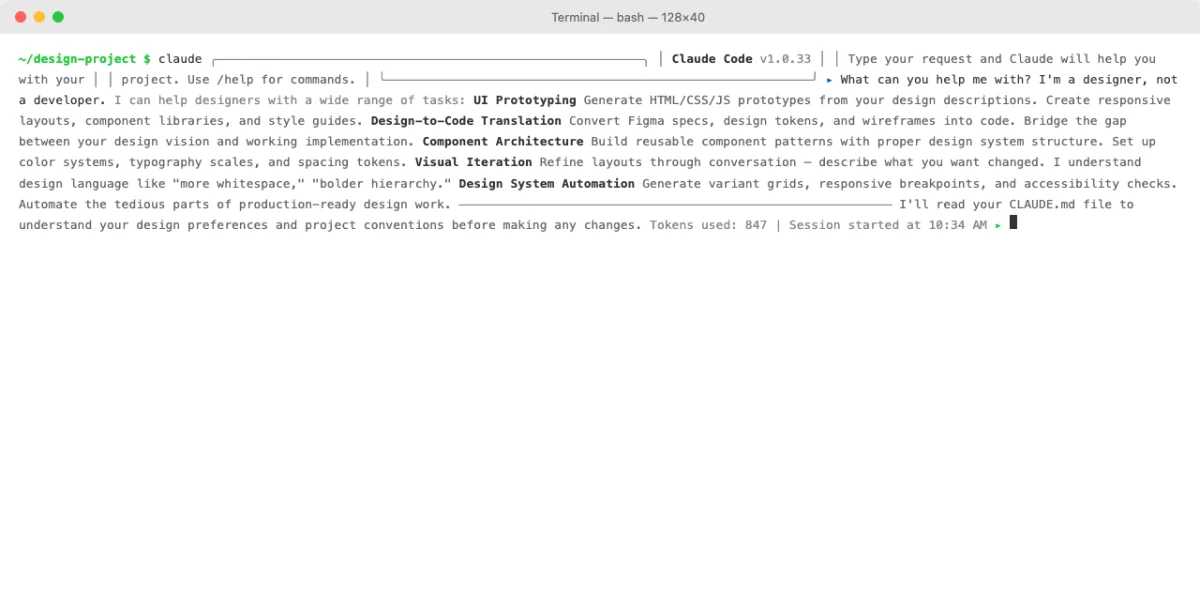
Here is what that looks like in practice. You open Claude Code, point it at a project folder, and type a prompt. For example:
claude "Describe what this project does"Claude Code reads the files in your project, builds an understanding of the structure, and responds with a summary. If you ask it to make changes, it reads the relevant files, writes the edits, and shows you a diff, a side-by-side comparison of what changed, like reviewing track changes in a document.
You control how autonomous Claude Code is. As of this edition, the documented permission modes include default, acceptEdits, plan, auto, dontAsk, and bypassPermissions. Availability varies by surface, account, and settings, so treat this table as a safety model rather than a permanent product reference:
| Mode | What Happens | When to Use |
|---|---|---|
| Default | Asks before each action | Learning the tool, first time with a project |
| Auto accept edits | Auto-approves file edits, asks for commands | Comfortable with changes, want to move faster |
| Plan mode | Read-only exploration, no changes made | Auditing a codebase, understanding structure |
| Auto mode | AI safety classifier decides | Trusted projects, repetitive tasks |
| Bypass permissions | No permission prompts | Only isolated containers, VMs, or disposable automation environments |
| Do not ask | Only pre-approved tools run | Locked-down scripts and CI where denial is safer than prompting |
Start in Default mode. You will see every action before it happens, which builds trust and understanding. As you get comfortable, you can relax the permissions to move faster.
Claude Code is a collaborator, not a magic button. It produces better results when you give it clear direction, review its output critically, and iterate. The designer who treats it like a conversation partner gets more from it than the one who expects a finished product from a single prompt.
1.3 The Claude Code Ecosystem Map
The Claude Code Ecosystem Map
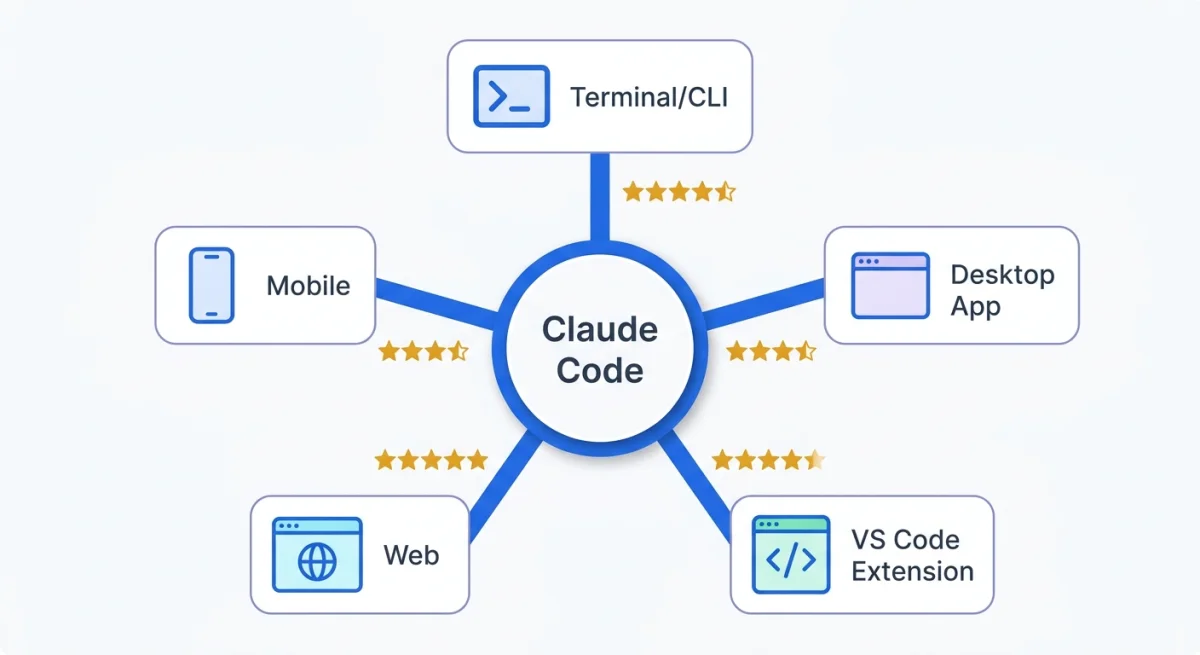
Claude Code meets you wherever you work. Six primary surfaces, all connected to the same engine.
One of the most common questions I hear from designers is: "Where do I even open this thing?" The answer depends on what feels comfortable to you, because Claude Code runs in more than one place.
Think of it like Figma, but with more local context. Some configuration travels well: CLAUDE.md, settings, skills, and MCP server definitions can shape the same project across surfaces. Local folder state, cloud sessions, editor integrations, permission prompts, and available modes still differ. The practical rule is simple: verify the active folder, loaded instructions, and permission mode whenever you change surfaces.
| Surface | Best For | Designer Friendliness | Requires |
|---|---|---|---|
| Desktop app | Visual diff review, app preview, scheduled tasks | High | macOS or Windows |
| VS Code extension | Inline editing, live preview, file-level context | Medium-High | VS Code (free) |
| Web (claude.ai) | Quick tasks, no-install access, mobile handoff | High | Browser + subscription |
| Terminal CLI | Full control, scripting, automation | Low | Terminal comfort |
| JetBrains plugin | IntelliJ, WebStorm users | Medium | JetBrains IDE |
| iOS app | Remote monitoring, quick check-ins | Medium | iPhone + subscription |
In addition to the six primary surfaces, Claude Code integrates with Slack (route tasks from team chat to code changes via @Claude mentions) and has a Chrome extension for debugging live web applications and comparing visual output. These are supplementary. The six surfaces above are where you will spend most of your time.
My take: for designers, the Desktop app or VS Code extension is the best starting point, not the terminal. The terminal is faster for experienced users, but the Desktop app gives you visual diff review without learning CLI conventions, and VS Code gives you inline editing in an environment that at least has a graphical interface. Start where you are comfortable. You can always try the terminal later.
Sessions are portable across surfaces. You can start a task on the web, pull it into the desktop app with /desktop, or check on progress from your phone using Remote Control. This matters for designers who move between their desk, meetings, and their phone throughout the day.
One practical note: Claude Code access, plan names, prices, rate limits, and feature availability change. Treat every price in this book as a snapshot, not procurement advice. Before buying or recommending a plan, verify Anthropic's official pricing and plan documentation and check whether your organization requires Team, Enterprise, API, Bedrock, Vertex, or another approved provider path.
curl -fsSL https://claude.ai/install.sh | bashThat command installs the CLI. The Desktop app and VS Code extension have their own installers and are covered in detail in Chapter 2.
1.4 How Claude Code Fits Your Design Workflow
How Claude Code Fits Your Design Workflow
Claude Code is not a replacement for your design process. It is an accelerant at specific stages where code execution is the bottleneck.
Every designer has a process. It might be formal or loose, but it usually follows a pattern: research, ideation, prototyping, testing, and handoff or implementation. Claude Code fits into specific stages of that process. It does not replace the thinking. It accelerates the execution.
| Design Stage | Claude Code Feature | Example |
|---|---|---|
| Research | Codebase exploration, file search | "Summarize how the current design system implements buttons" |
| Ideation | Quick prototype generation from descriptions | "Build a card component with a hero image, title, and CTA" |
| Prototyping | Interactive prototype from screenshots or specs | "Recreate this Figma frame as a responsive HTML page" |
| Testing | Visual verification, cross-browser screenshots | "Take a screenshot and compare it to this reference image" |
| Handoff | Production-ready code generation | "Refactor this prototype into a reusable React component" |
The most powerful integration point is the design-to-code pipeline. Claude Code can accept image inputs: screenshots, mockups, wireframes, reference designs. You paste a screenshot of a Figma frame, and Claude generates the HTML, CSS, and JavaScript to implement it. Here are some prompts that work well for design work, taken directly from the official documentation:
Generate CSS to match this design mockup

What HTML structure would recreate this component?

[paste screenshot] implement this design. take a screenshot
of the result and compare it to the original. list
differences and fix them.
The last prompt is worth pausing on. Claude Code can take a screenshot of its own output, compare it to your reference, identify differences, and fix them. This is the visual verification loop, and it is the closest thing to having a design review conversation with a tool. You show it what you want. It builds something. It compares its work to your reference. It improves. You are the quality gate throughout.
For the strongest results, paste a screenshot alongside a text description. The screenshot gives Claude the visual target. The text gives it the constraints and preferences that a screenshot alone cannot convey: font family names, specific color values, responsive breakpoints, accessibility requirements.
Claude Code also connects to external tools through MCP (Model Context Protocol). Think of MCP like plugins for your design tool. Each one adds a new connection. You can connect Claude Code to Figma for design data, to Notion for documentation, to Slack for team communication, and to databases or APIs for live data. The connection is made with a single command:
# Recommended current path: install Figma's Claude Code plugin
claude plugin install figma@claude-plugins-official

# Then run /plugin or /mcp and complete the OAuth connection.
Once connected, Claude Code can read Figma context such as components, variables, layout data, and Code Connect information. Figma's MCP documentation also describes write-to-canvas and web-to-Figma workflows for supported clients and plans. The right mental model is still conservative: Claude Code is not a visual design editor, but it can use approved Figma tools when you connect and authorize them.
My take: Claude Code's biggest advantage over canvas-first AI design tools is that it can produce real, editable, deployable code in the same repository where the product lives. Design tools still matter for exploration, alignment, and systems work. Claude Code matters when the design needs to become implementation without losing the review trail.
1.5 What Claude Code Can and Cannot Do
What Claude Code Can and Cannot Do
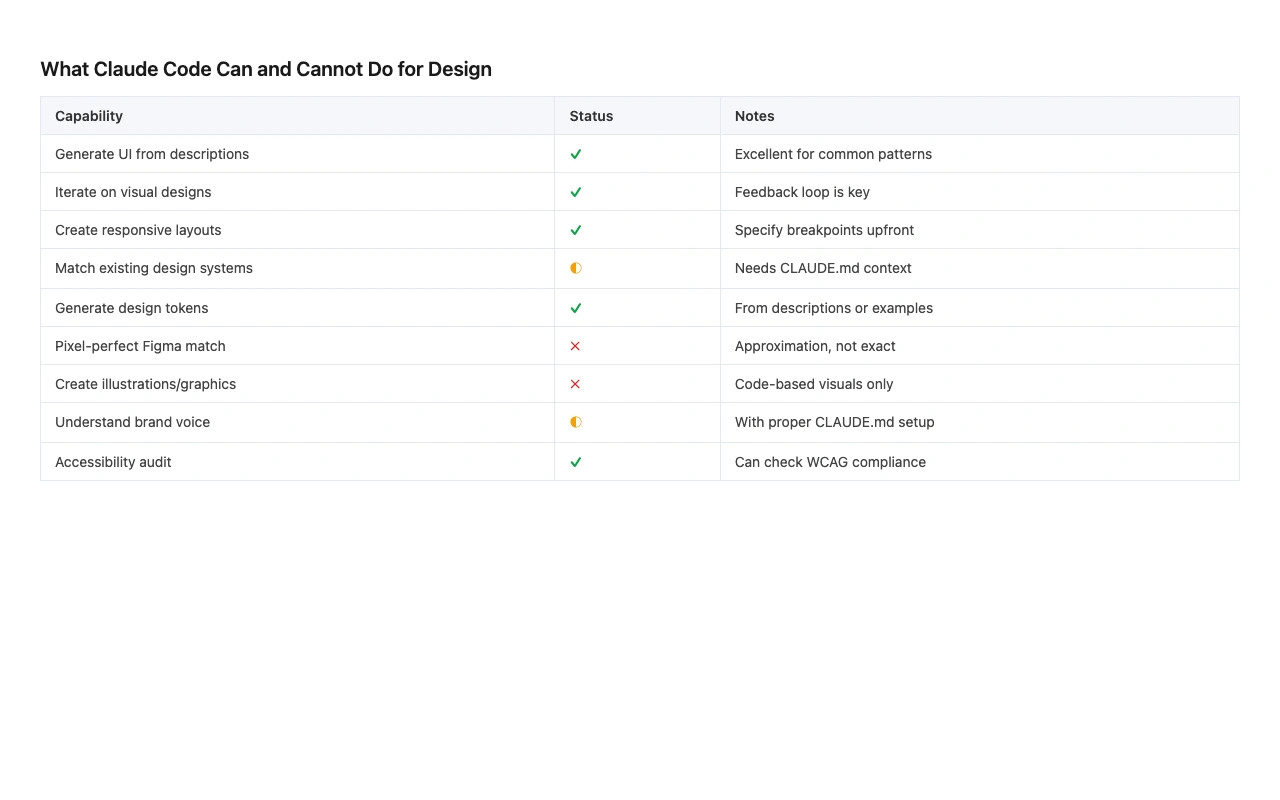
Honest assessment. Claude Code can do a lot, but it has real boundaries. Knowing them saves you frustration.
Every tool has a gap between what it promises and what it delivers. The gap narrows with practice, but it never fully closes. Here is what I have found Claude Code does well, where it falls short, and what to watch for.
| Task | Can Claude Do It? | Quality Level | Caveats |
|---|---|---|---|
| Generate HTML/CSS from a description | Yes | Good to very good | First output is a starting point; 2-4 iterations improve it |
| Generate code from a screenshot | Yes | Good | Pair screenshot with text for best results |
| Build interactive prototypes | Yes | Good | Simple interactions are reliable; complex animations need iteration |
| Verify visual output | Yes | Good | Desktop app and Chrome extension enable screenshot comparison |
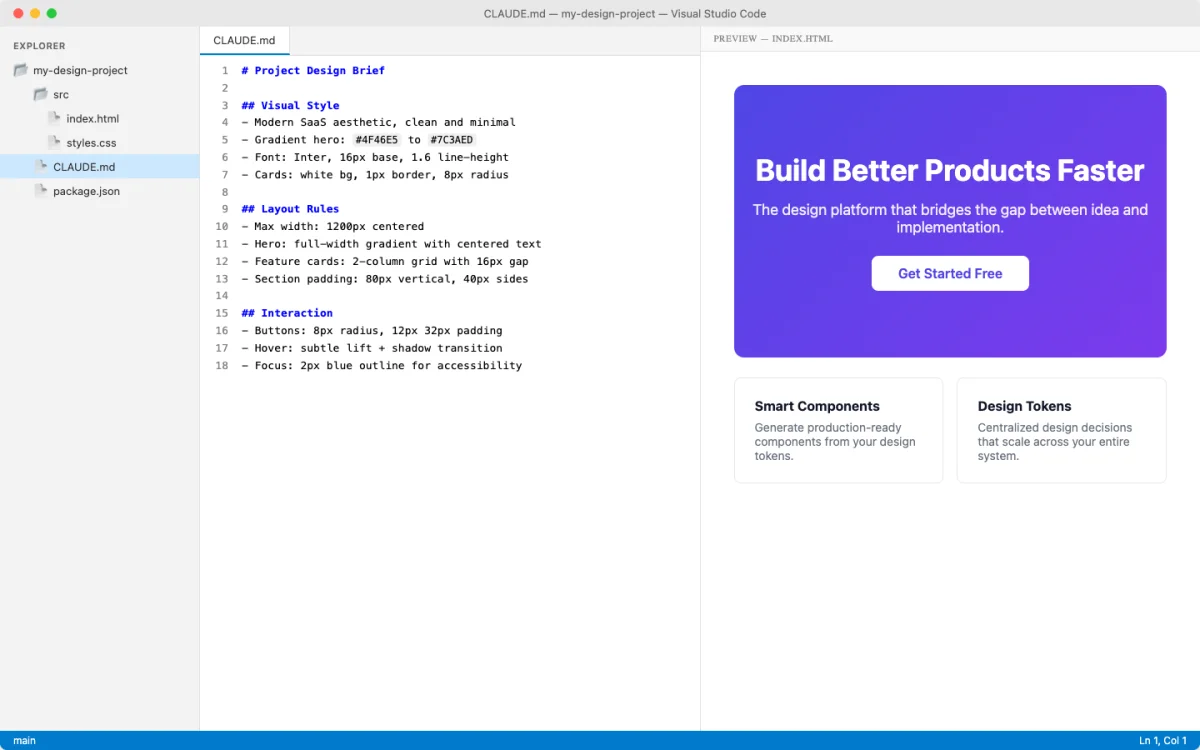
| Maintain design system consistency | Yes, with CLAUDE.md | Very good | Requires a CLAUDE.md file encoding your design rules |
| Edit Figma files directly as a general-purpose visual editor | Limited | Workflow-dependent | Can use approved Figma MCP tools, including some write-to-canvas workflows; still requires authorization and visual review |
| Run design tools (Sketch, Adobe XD) | No | N/A | Not a design application; works with code files |
| Replace design thinking | No | N/A | Your judgment on hierarchy, usability, and aesthetics is irreplaceable |
Three limitations deserve more detail.
Context windows fill up. Claude Code has a maximum amount of information it can hold in a single session. Long sessions degrade in quality because the tool loses track of earlier context. The fix is to start fresh between unrelated tasks and keep sessions focused. In Chapter 5, you will learn how to use CLAUDE.md to carry important context across sessions without re-explaining everything.
Output needs your review. Claude Code generates syntactically correct code most of the time. But correct code is not the same as good design. It might choose spacing values that are technically fine but do not match your design system. It might implement a layout that works but feels wrong aesthetically. You are the quality gate. Every time.
It requires a codebase or project folder. Claude Code works best when pointed at a directory with actual files. It can work in any folder, including a collection of markdown files or a notes vault, but it is not a standalone application. You give it a project, it works within that project.
Claude Code is not Figma. It does not have a canvas, a layers panel, or a visual editor. It works with code. But the code it produces creates visual output that you can preview in a browser, compare to your designs, and iterate on until it matches your intent. Your design judgment is essential. The tool accelerates execution; it does not replace taste.
Here is a practical example of how to use Claude Code for a common design task. Say you have a folder with a single HTML file and you want to generate a design tokens file from a screenshot of your brand guidelines:
[paste screenshot of brand guidelines]

Extract the design tokens from this brand guide and create
a CSS file with custom properties for:
- All brand colors (primary, secondary, neutral scale)
- Typography scale (heading sizes, body size, line heights)
- Spacing scale
- Border radius values
- Shadow values
Claude Code reads the screenshot, identifies the colors, sizes, and spacing in your brand guidelines, and generates a CSS file with custom properties. You review, adjust values that do not match, and save. What used to take a manual pass through a brand PDF now takes a single prompt and a review cycle.
My take: the biggest mindset shift for designers using Claude Code is treating AI output like a first draft from a junior developer. You would not expect a junior developer to nail your design on the first try. You would give them feedback, and they would improve. Claude Code works the same way. Your value is in the design direction and the quality review, not in the initial code generation.