0 Why I Wrote This Book for Designers
A letter about the gap between design thinking and code execution
0.1 The Wall Between Design and Code
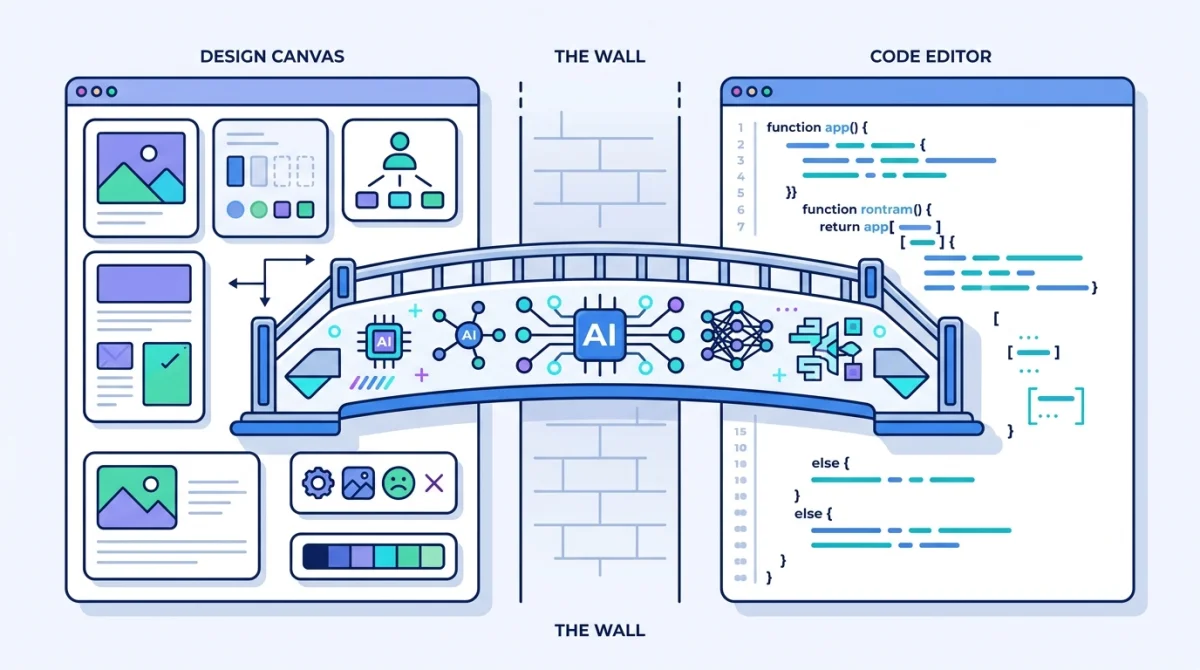
There is a wall between your design vision and the working product, and you have lived on one side of it for your entire career.
You know the feeling. You have a design fully resolved in your head — the spacing, the hierarchy, the way the hover state transitions into the active state. But to make it real, you need someone else to write the code.
So you annotate. You write specs. You sit in handoff meetings explaining what you mean by "generous whitespace." The engineer nods, interprets your vision through their own lens, and builds something close. The spacing drifts. The typography shifts. You file feedback. Days pass.
What was clear in your head is now a negotiation. This is the wall. Every designer I have ever worked with knows it.
The handoff tax
The design industry has built entire product categories to deal with this wall. Zeplin, Avocode, Sympli, InVision Inspect — tools that exist to translate design files into something engineers can build from. The tools keep changing because the underlying problem has not: designers think visually, engineers think in code, and someone has to bridge the gap.
My Take
The most impactful skill a designer can develop right now is not another design tool — it is learning to use AI to execute their own ideas. The gap between design intent and implementation has always been the biggest bottleneck in product development. For the first time, that gap is crossable without an engineering degree.
Why I believe this: I have watched designers go from "I can't code" to "I built a working prototype this morning" in weeks, not months. The bottleneck was never ability. It was access to the execution layer.
Caution: Strong opinion based on observation, not survey data.
0.2 Why I Started Using Claude Code
I started using Claude Code because I was tired of watching my designs lose fidelity between my screen and the browser.
The first time I opened it, I did not know what to expect. I had tried other AI coding tools and found them either too slow, too inaccurate, or too focused on developers to be useful for design work. Claude Code felt different — not because it was smarter, but because it could work with real files in a real project. It could read existing code, edit multiple files at once, and run commands to see the results.
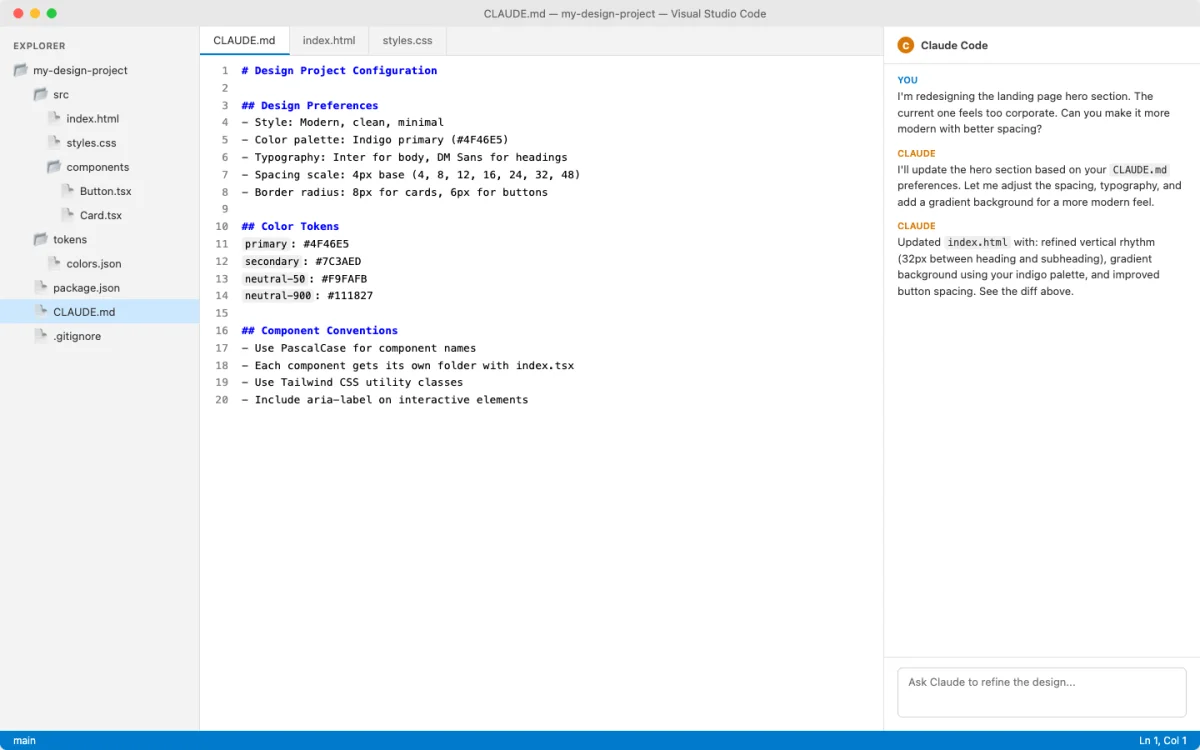
I described a layout — a hero section with a gradient background, a bold heading, and a call-to-action button. Claude Code generated working HTML and CSS in about ten seconds. The spacing was wrong. The gradient went in the wrong direction. But it was real — a file I could open in a browser, close enough to iterate on.
I typed a follow-up: "Make the gradient go from dark indigo to soft blue. Increase the heading size. Add more space between the heading and the button." Claude Code updated the code. I refreshed the browser. Two more rounds of feedback and it matched what I had in my head. That loop — describe, review, refine — took less than five minutes.
Before Claude Code, my path from design to working code went through specs, handoff meetings, and days of waiting. With Claude Code, the middle steps collapsed. I could go from intent to working prototype in one session.
That first session changed how I thought about the wall. Claude Code did not demolish it — but it gave me a way across. My design judgment was still the engine. The difference was that I could now drive.
0.3 What This Book Will Give You
This book teaches you to build real, working design output using Claude Code — without becoming a software engineer.
You will not learn to code in the traditional sense. There are no chapters on variables, loops, or data structures. Instead, you will learn to direct an AI collaborator that writes code based on your design intent. You describe what you want. Claude Code builds it. You review, refine, and iterate. Your judgment drives the process. Claude Code handles execution.
| Book Section | What You Will Be Able To Do |
|---|---|
| Chapters 1–2: Foundations | Understand what Claude Code is, where it runs, and get it installed. No terminal experience required. |
| Chapters 3–4: Core Skills | Build a working prototype from a description and write prompts that produce good design output consistently. |
| Chapters 5–7: Your Design System in Code | Translate your brand guidelines, design tokens, and component library into code that Claude Code respects every session. |
| Chapters 8–10: Advanced Workflows | Automate repetitive tasks, connect your design tools through integrations, and manage your work with version control. |
What this book is not
This is not a "learn to code" book. You will not become a software engineer. What you will become is a designer who can execute — someone who can take an idea from concept to working prototype without waiting for someone else. If you want a computer science curriculum, this is the wrong book. If you want to bring your design ideas to life faster, keep reading.
My Take
Claude Code's biggest advantage over canvas-first AI design tools like v0 or Figma AI shows up when the output must live in a real repository. It produces editable code that can be reviewed, committed, tested, and shipped. Canvas tools are still useful for exploration; Claude Code is strongest when your prototype needs a path into production.
Why I believe this: I have built prototypes in Figma, v0, and Claude Code. Only the Claude Code prototypes could be handed to an engineering team without being rebuilt from scratch.
Caution: Code quality depends on your prompts and iteration.
0.4 How to Read This Book
Read the first three chapters in order. After that, follow the path that matches your work.
Chapters 1 through 3 build on each other. Chapter 1 explains what Claude Code is. Chapter 2 gets it installed. Chapter 3 walks you through building your first prototype. These three are the on-ramp — do not skip them, even if you have already tried Claude Code on your own.
From Chapter 4 onward, you have choices. The chapters are organized by skill, and different designers will take different paths.
| If You Are | Start With | Then Go To |
|---|---|---|
| New to any coding tool | Chapters 1–3 in order | Chapter 4, then Chapter 5 |
| Comfortable with terminal or CLI | Chapter 1 (skim), Chapter 3 | Chapter 5, then Chapter 8 |
| A design system or brand designer | Chapter 5 | Chapter 6, Chapter 7 |
| An interaction or motion designer | Chapter 3 | Chapter 7 |
| Looking to automate your workflow | Chapters 1–3 | Chapter 8, Chapter 9 |
You do not need to know any programming language to follow along. Every technical concept is introduced through a design-world analogy first. When I mention a code term like flexbox or CSS grid, I explain it in Figma terms before using the technical name.
You will get the most from this book if you follow along in Claude Code as you read. Each chapter from Chapter 3 onward includes hands-on exercises for a single sitting. The only prerequisite is a supported computer and curiosity. Claude Code support spans macOS, Linux, Windows, WSL, and editor/desktop surfaces, with exact setup paths changing over time. Chapter 2 starts with the least intimidating route and asks you to verify the official install page before spending money.
On staying current
Claude Code is evolving quickly. The core concepts in this book — how to describe design intent, iterate on AI output, encode your design system — will hold up regardless of how the tool changes. Specific features may shift. When that happens, I will post updates at the book's companion site.